
Finding the right home is rarely as simple as looking at a few photographs and choosing a favorite listing. Buyers want to know how much they can afford, where a property is located, what the neighborhood is like, how long a commute might take, and whether the home actually fits their plans.
That is where Realtor.com comes in.
Realtor.com is one of the major online real estate platforms in the United States, providing property listings and digital tools for people who are buying, selling, renting, or researching homes. The platform is operated by Move, Inc., a subsidiary of News Corp, and operates under a perpetual license from the National Association of REALTORS®.
Today, Realtor.com is much more than a website where users browse houses. Its ecosystem includes property search, affordability tools, mortgage resources, rental listings, neighborhood information, home-value resources, market research, real estate professionals, mobile experiences, and increasingly sophisticated map and AI features.
This guide explains what Realtor.com is, how it works, what users can find there, and how to get more value from the platform.
What Is Realtor.com?
Realtor.com is an online real estate marketplace and information platform designed to help people navigate the home journey.
The platform provides information about homes for sale and rental properties while also offering tools that can help consumers understand affordability, neighborhoods, mortgages, home values, and the broader housing market.
Realtor.com describes itself as “The Home of Home Search” and says millions of home shoppers use the platform to find properties and make real estate decisions.
The website is useful at several stages of the property journey:
- Searching for a home
- Comparing properties
- Finding rental homes and apartments
- Estimating affordability
- Researching neighborhoods
- Understanding mortgage costs
- Preparing to sell
- Tracking a home's value
- Finding local real estate professionals
- Following housing-market trends
This broad approach is one reason Realtor.com remains a recognizable name in U.S. real estate.
Who Operates Realtor.com?
Realtor.com is operated by Move, Inc., which is a subsidiary of News Corp.
Move operates Realtor.com under a perpetual license from the National Association of REALTORS®.
This relationship is important because the Realtor.com brand is closely associated with the real estate industry's REALTOR® community and multiple listing service ecosystem.
Move also operates other real estate and property-related services, including professional tools and platforms designed to support real estate agents, brokers, and consumers.
What Can You Do on Realtor.com?
The platform covers much of the residential real estate journey.
Search Homes for Sale
The most obvious use of Realtor.com is searching for homes.
Users can browse properties based on factors such as:
- Location
- Price
- Number of bedrooms
- Number of bathrooms
- Property type
- Square footage
- Lot size
- New construction
- Open houses
- Recently reduced prices
- Other listing characteristics
This allows buyers to narrow a large housing market into a more manageable selection.
Instead of searching through every property in an entire city, a buyer can define a preferred price range and location and then compare suitable homes.
Searching by Location
Location is one of the most important factors in real estate.
A property may look perfect online, but its value to a buyer depends heavily on where it sits.
Realtor.com allows users to search by locations such as:
- City
- State
- ZIP code
- Neighborhood
- Address
- Specific geographic areas
This makes it possible to begin with a broad search and gradually become more specific.
For example, someone moving to a new city might start with the city itself, then narrow the search to a few neighborhoods based on commute, schools, lifestyle, price, or other priorities.
Realtor.com Maps and Neighborhood Context
A property listing doesn't exist in isolation.
The surrounding area matters just as much as the house itself.
This is why mapping has become an important part of Realtor.com's user experience.
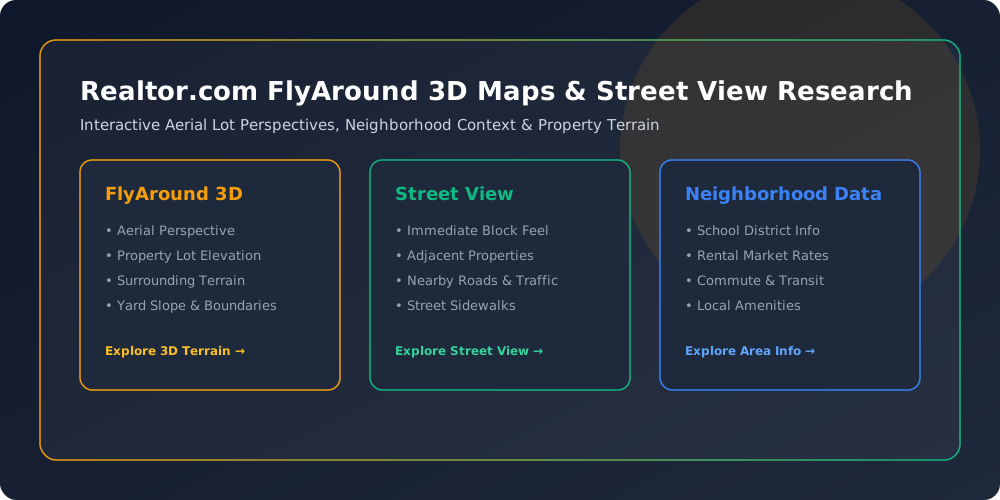
Realtor.com uses mapping technology to provide more context around listings. Its FlyAround experience uses high-resolution 3D map data to give shoppers an aerial, interactive perspective of a property's lot, terrain, and surrounding neighborhood.
That can answer questions that ordinary listing photographs cannot.
For example:
- Is the backyard sloped?
- What does the surrounding terrain look like?
- Is a major road nearby?
- How does the property sit within the neighborhood?
- What is the relationship between the house and surrounding streets?
This kind of geographic context is particularly useful when someone is shopping for a home from another city or state.
Realtor.com FlyAround
One of the more interesting developments on the platform is FlyAround.
FlyAround uses 3D mapping technology to create an immersive aerial experience around properties.
Instead of viewing a property as a collection of flat photographs, shoppers can explore its surroundings from a more dynamic perspective.
Realtor.com has reported increased engagement with map-based experiences since introducing FlyAround.
The broader lesson is important: online real estate search is becoming increasingly visual and geographic.
Street View and Property Research
Maps are also useful when buyers want to understand the immediate surroundings of a property.
Realtor.com has integrated Street View into listings so shoppers can explore the exterior environment and surrounding streets.
This can help answer questions that aren't always obvious from listing photographs.
For instance, you may want to see:
- The character of nearby streets
- Adjacent properties
- Sidewalks
- Nearby roads
- The general appearance of the block
- The relationship between a property and surrounding buildings
It is still important to visit a property in person before making a major decision, but online geographic tools can make the initial research process much more efficient.
Realtor.com for Renters
Realtor.com isn't limited to people buying houses.
Renters can also use the platform to research available rental properties.
Depending on location and availability, users can search for:
- Apartments
- Houses for rent
- Condos
- Townhomes
- Other rental properties
Search filters help renters narrow results according to factors such as price, location, bedrooms, bathrooms, and property characteristics.
For someone moving to a new city, online rental search can be particularly useful during the early stages of planning.
Realtor.com Affordability Calculator
One of the biggest mistakes first-time buyers can make is focusing only on the listing price.
The real question is:
Can I comfortably afford the total monthly cost?
Realtor.com provides an affordability calculator designed to help users estimate a realistic budget range.
Affordability can involve several components, including:
- Mortgage principal
- Interest
- Property taxes
- Homeowners insurance
- Down payment
- Closing costs
- Other recurring expenses
A calculator is useful because it encourages buyers to think beyond the headline purchase price.
Of course, an online estimate is not a mortgage approval. Actual borrowing capacity depends on a buyer's income, debts, credit profile, loan terms, down payment, lender requirements, and other factors.
Realtor.com Mortgage Calculator
Realtor.com also provides a mortgage calculator that can help users understand potential monthly and closing costs.
This can be useful when comparing properties at different price points.
For example, two homes might have similar listing prices but produce different overall costs because of differences in:
- Property taxes
- Insurance
- HOA fees
- Mortgage terms
- Down payment
- Local costs
Using a calculator before scheduling multiple property tours can help shoppers establish a more realistic budget.

Down Payment Assistance
Saving for a down payment can be one of the biggest challenges for prospective buyers.
Realtor.com provides information about down payment assistance programs and notes that eligible buyers may be able to purchase a home with a relatively small down payment depending on the loan and circumstances.
Buyers should investigate eligibility requirements carefully.
Assistance programs vary by location and can have income, property, loan, or first-time-buyer requirements.
Realtor.com for Home Sellers
Realtor.com is also useful for people preparing to sell a property.
A seller can use the platform to research:
- Similar homes
- Recent listings
- Local asking prices
- Market activity
- Neighborhood trends
- Competing properties
However, an online listing search should not be confused with a professional comparative market analysis.
A local real estate professional can account for property condition, improvements, location-specific factors, recent comparable sales, and other details that an online search may not capture fully.
My Home on Realtor.com
Homeowners have access to the My Home experience, which is designed around managing and understanding a property as an investment.
The My Home dashboard allows owners to track their home's value over time, research and manage improvements, and explore similar properties in the neighborhood.
This can be useful even when someone isn't planning to sell immediately.
A homeowner may want to know:
- How property values are changing
- How the local market is performing
- What nearby properties are selling for
- Which improvements might matter
- How their home compares with similar properties
Realtor.com Neighborhood Information
Buying a home means buying into a location, not just purchasing a building.
Neighborhood information can therefore be an important part of the research process.
Realtor.com provides local information that can help shoppers investigate the areas they're considering. The platform highlights information such as rental characteristics, schools, and other neighborhood factors.
Buyers should still research neighborhoods from multiple sources.
Useful additional research may include:
- Local government information
- School district resources
- Transportation data
- Crime statistics from appropriate official sources
- Property tax information
- Community websites
- First-hand visits
The goal is to build a complete picture rather than rely on one website.
Realtor.com Market Research
Realtor.com also has a dedicated economic research section.
Its research team publishes material covering areas such as:
- Housing demand
- Affordability
- Inventory
- Local markets
- Weekly housing trends
- Monthly housing reports
- Rental trends
- Market outlooks
This is particularly useful for people who want to understand the broader market rather than only individual listings.
This can help buyers and sellers put individual property prices into context.
Realtor.com News and Insights
Another major part of the platform is News & Insights.
This section provides housing-market information and coverage from journalists and economists who cover buying, selling, renting, homeownership, mortgages, and market trends.
Topics include:
- Real estate news
- Housing-market trends
- Buying advice
- Selling advice
- Rental information
- Mortgage topics
- Homeownership
- Celebrity real estate
- Market analysis
This editorial content can be useful when a reader wants context rather than simply a list of properties.
Realtor.com and AI
Real estate search is changing as artificial intelligence becomes more capable.
Realtor.com has invested in AI-based experiences.
In 2026, Realtor.com announced RealAssist™ AI, an AI-powered home-search experience developed with Google Gemini and Google Cloud.
The experience is intended to make property research more conversational.
Instead of starting with dozens of filters, users can ask questions about:
- Affordability
- Neighborhoods
- Home features
- Location
- Daily routines
- Property comparisons
This reflects a broader shift in real estate search: consumers increasingly want to explain what they need in natural language rather than manually configure every filter.

Realtor.com App in ChatGPT
Realtor.com has also introduced an app experience within ChatGPT.
The Realtor.com app in ChatGPT allows users to explore homes and affordability questions through a conversational interface before moving to the broader Realtor.com search experience.
This is an example of how real estate platforms are expanding beyond traditional websites and mobile apps.
The long-term direction is toward more conversational home discovery.
Realtor.com+ for Real Estate Professionals
Realtor.com isn't only built for consumers.
The company also provides professional tools designed to connect real estate agents and brokers with consumers.
Realtor.com+ is positioned as a collaborative platform for real estate professionals and shoppers.
Map-integrated tools can help agents and buyers plan property tours and optimize driving routes between multiple homes.
This is especially useful when a buyer wants to visit several properties in one day.
Instead of wasting valuable time driving inefficiently between appointments, location-based planning can help create a more practical tour schedule.
Realtor.com and MLS Listings
The relationship between Realtor.com and multiple listing services, or MLSs, is an important part of the platform's real estate ecosystem.
MLS systems allow participating real estate professionals to share listing information under established rules and agreements.
Realtor.com's relationship with MLS organizations is one reason the platform can provide a large national collection of property listings.
The exact availability, freshness, and details of listings can vary by market, so shoppers should always confirm important information with the listing agent or other authoritative sources.
How to Search Realtor.com Effectively
Simply typing a city into a real estate website isn't always the best way to search.
A more effective process is to define your priorities first.
1. Establish a Budget
Know roughly how much you can comfortably spend before becoming emotionally attached to a property.
2. Choose Your Preferred Area
Identify cities, neighborhoods, ZIP codes, or other geographic areas that make sense for your lifestyle.
3. Set Property Requirements
Decide which features are genuinely necessary.
For example:
- Two or three bedrooms
- Minimum square footage
- Garage
- Outdoor space
- Number of bathrooms
- Property type
4. Separate Needs From Wants
A home office may be essential for one buyer but optional for another.
Separating requirements from preferences prevents overly restrictive searches.
5. Save Promising Properties
Saving listings makes it easier to compare them later.
6. Research the Neighborhood
Don't stop at the listing photos.
Explore the surrounding streets, transportation, schools, amenities, and other relevant factors.
7. Confirm the Details
Before making an offer or signing a lease, confirm critical information with the appropriate real estate professional.
What Makes Realtor.com Useful?
Several characteristics make the platform valuable for home shoppers.
Large Property Search
The platform brings a substantial amount of residential real estate information into one place.
Financial Tools
Affordability and mortgage calculators can help users understand potential costs.
Neighborhood Context
Maps and location-based information help shoppers evaluate more than the property itself.
Market Research
Economic reports and housing analysis provide broader context.
Consumer and Professional Tools
The ecosystem serves buyers, sellers, renters, homeowners, agents, and brokers.
Technology
Features such as 3D mapping and AI-assisted search are making the property discovery experience more interactive.
Realtor.com vs. a Real Estate Agent
It's important to understand that Realtor.com and a real estate agent serve different roles.
A website can help you:
- Search listings
- Compare properties
- Research prices
- Explore neighborhoods
- Estimate costs
- Find potential properties
A real estate professional can provide:
- Local market knowledge
- Property-specific advice
- Offer strategy
- Negotiation
- Transaction guidance
- Access to professional networks
- Help interpreting contracts and transaction requirements
The strongest approach for many buyers is to use digital tools for research and work with a qualified professional when professional guidance is needed.
Is Realtor.com Free to Use?
Consumers can browse Realtor.com and use many of its search and informational tools without paying a subscription simply to search for homes.
However, some services, professional products, financing options, or third-party services may have their own terms or costs.
Users should review the terms associated with any specific service before proceeding.
Is Realtor.com Accurate?
Realtor.com is a major real estate information platform, but no property database should be treated as permanently perfect.
Listings can change.
Homes can:
- Go under contract
- Be withdrawn
- Change price
- Receive updates
- Become unavailable
- Have details corrected
For that reason, important information should always be confirmed before making a financial decision.
This is particularly important for:
- Asking price
- Availability
- Property condition
- Taxes
- HOA fees
- Included appliances
- Square footage
- Financing terms
- Closing information
Does Realtor.com Provide Mortgage Loans?
Realtor.com provides mortgage-related information, calculators, and connections to financing resources, but browsing a home listing does not mean you automatically receive a mortgage from Realtor.com.
Mortgage applicants should compare lenders and carefully review:
- Interest rates
- APR
- Fees
- Loan terms
- Closing costs
- Prepayment provisions
- Eligibility requirements
An online calculator can help estimate costs, but a lender provides the actual loan terms and approval.
Realtor.com for First-Time Homebuyers
First-time buyers often have the most questions.
They may not know:
- How much they can afford
- What a down payment involves
- How mortgage payments work
- What closing costs are
- How inspections work
- What neighborhoods fit their needs
- How to compare homes
- When to involve a real estate agent
Realtor.com's combination of listings, calculators, educational content, neighborhood information, and market resources can provide a useful starting point.
The key is to use the platform as a research and decision-support tool, not as a replacement for professional advice.
Realtor.com for Investors
Real estate investors can also use property-search platforms for initial market research.
They may investigate:
- Property prices
- Rental opportunities
- Neighborhood trends
- Comparable properties
- New construction
- Market inventory
- Local housing conditions
However, investment decisions require significantly more analysis.
An investor may also need to consider:
- Rental income
- Operating expenses
- Property taxes
- Insurance
- Vacancy
- Maintenance
- Financing
- Local regulations
- Expected appreciation
- Cash flow
A listing website can supply some inputs, but it cannot determine whether an investment is suitable for a particular investor.
Frequently Asked Questions About Realtor.com
What is Realtor.com?
Realtor.com is an online real estate platform offering property listings, home-search tools, mortgage and affordability resources, neighborhood information, market research, and other services for people navigating the housing market.
Who owns Realtor.com?
Realtor.com is operated by Move, Inc., a subsidiary of News Corp. Move operates the Realtor.com brand under a perpetual license from the National Association of REALTORS®.
Can I search for homes on Realtor.com?
Yes. Home buyers can search for properties by location, price, property characteristics, and other criteria.
Can renters use Realtor.com?
Yes. Realtor.com includes rental properties and resources for people searching for their next rental home or apartment.
Does Realtor.com have a mortgage calculator?
Yes. Realtor.com provides a mortgage calculator designed to help users estimate monthly and closing costs.
Does Realtor.com have an affordability calculator?
Yes. The platform offers an affordability calculator to help shoppers estimate a potential budget range.
What is Realtor.com My Home?
My Home is a Realtor.com experience designed for homeowners to track home value, research improvements, and explore comparable properties and neighborhood information.
What is FlyAround on Realtor.com?
FlyAround is an immersive property-exploration feature that uses 3D mapping technology to provide an aerial view of a property's lot, terrain, and surrounding area.
Does Realtor.com use AI?
Yes. Realtor.com launched RealAssist AI in 2026, an AI-powered conversational home-search experience developed with Google Gemini and Google Cloud.
Can I use Realtor.com to research a neighborhood?
Yes. The platform provides location and neighborhood information, although buyers should also investigate neighborhoods through local and official sources.
Is Realtor.com free?
Many consumer search and informational features are publicly available without a subscription. Individual services may have separate terms or costs.
Can I sell my home through Realtor.com?
Realtor.com provides resources and connections for sellers, although the exact selling process can involve a listing agent, brokerage, MLS, and other real estate professionals.
Is Realtor.com an MLS?
No. Realtor.com is a consumer-facing real estate platform that receives and displays listing information through relationships with MLS organizations and real estate professionals. It is not itself the same thing as an MLS.
Should I rely only on Realtor.com when buying a house?
No. Realtor.com can be an excellent research tool, but buyers should confirm important property information and seek appropriate professional guidance before making a major financial decision.
Final Thoughts on Realtor.com
Realtor.com has evolved from a property-listing website into a broader digital ecosystem for the entire home journey.
Buyers can use it to discover properties, compare homes, estimate affordability, research neighborhoods, explore mortgage costs, and follow housing-market trends. Renters can search for rental properties, while homeowners can use tools such as My Home to monitor their property and research local market information.
The platform is also becoming more technology-driven.
Interactive maps, 3D property exploration, mobile experiences, and AI-powered tools are changing how people research homes before ever stepping through the front door. Realtor.com's FlyAround feature is one example of this evolution, giving buyers more visual context about a property and its surroundings.
At the same time, technology does not eliminate the need for human judgment.
A listing photograph cannot replace an inspection. A mortgage calculator cannot replace a lender's underwriting. A neighborhood map cannot completely replace visiting an area at different times of day. And an online estimate cannot substitute for professional advice when a decision involves substantial money.
The best way to use Realtor.com is therefore to treat it as a powerful research, discovery, and decision-support platform.
Use its search tools to find possibilities, its calculators to understand the numbers, its maps to explore locations, its market research to understand trends, and qualified real estate professionals to guide the parts of the transaction that require experience and expertise.
That combination can make the home-buying, renting, selling, or homeownership journey more informed—and considerably less overwhelming.